
Campaign Management / Funnel Builder
Other Pages
Manage supplemental campaign pages such as privacy policies, terms, and thank you pages.
Overview#
The Other Pages section allows users to create and manage all non-primary landing and form pages associated with a campaign. This includes important legal and informational content such as Terms & Conditions, Privacy Policies, Marketing Partner Disclosures, and more.
It maintains a consistent layout and functionality with the standard layout builder, ensuring a familiar and user-friendly experience.
Features#
Familiar Interface#
The Other Pages section shares the same user-friendly layout as the Landing Page and Form Flow builders. This consistency ensures a smooth experience when switching between page types.
Tip: Using the same builder interface across all page types reduces the learning curve and promotes efficient content creation.
Page Creation Options#
The Other Pages section provides three main methods to build or duplicate pages:

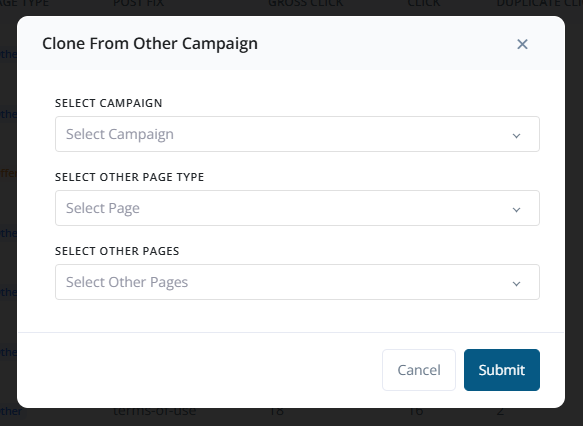
1. Clone from Other Campaigns#
Easily replicate a page from a different campaign:
- Select an existing campaign from the dropdown list.
- Choose the Other Page Type (e.g., Thank You, Offerwall).
- Select the specific page you want to clone.
2. Clone from Existing Pages (Same Campaign)#
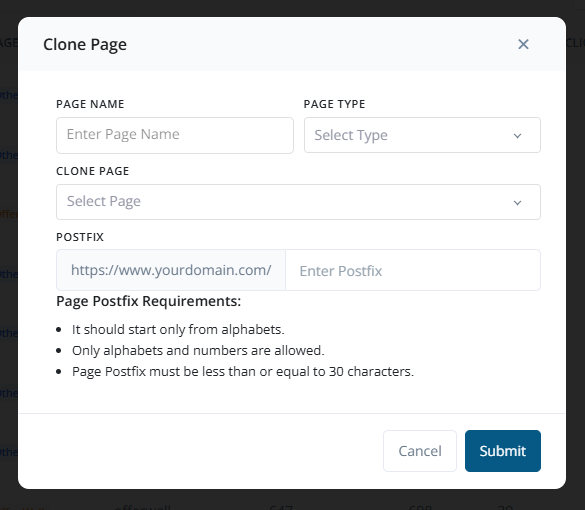
Duplicate a page within the current campaign:
- Enter a new Page Name.
- Select the Page Type.
- Choose the Existing Page to copy.
- Add a Postfix to differentiate the cloned page, following naming conventions.
3. Create New Page from Scratch#
Manually create a new page:
- Enter the Page Name.
- Select the Page Type.
- Choose a starting Template.
- Add a Postfix as per naming rules.
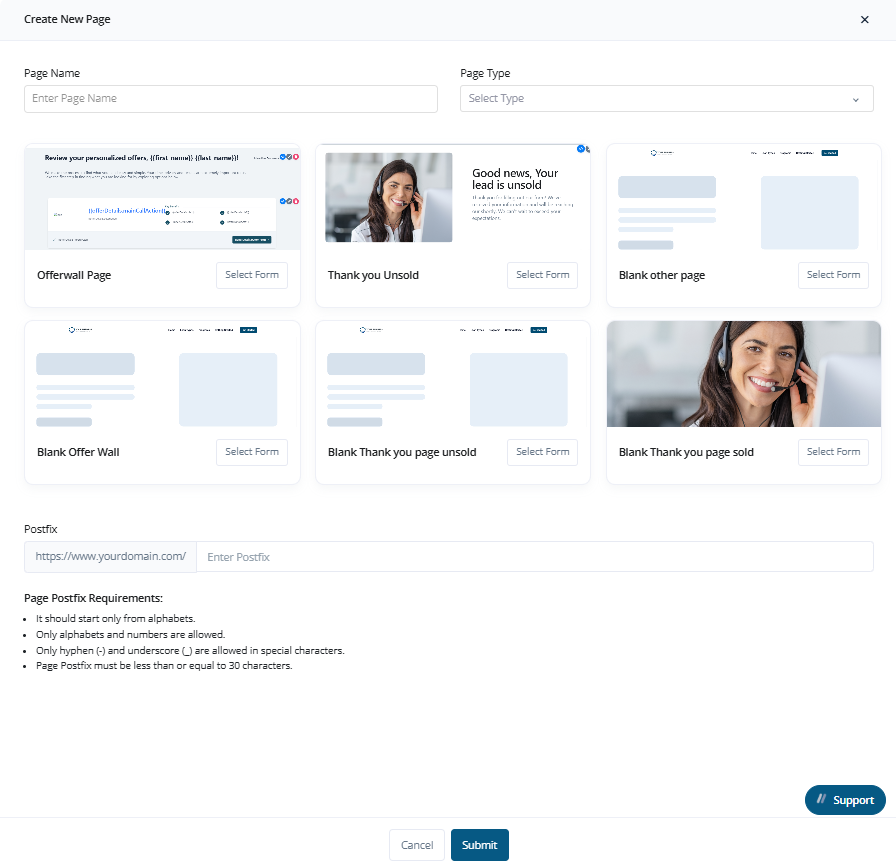
Tip: Use pre-defined templates for common page types like Privacy Policy or Thank You Page to speed up page creation.
Page Management Options#
Once pages are created, the following actions are available:
- Edit a Page: Navigate to
Manage Flow → Edit Page. - Delete a Page: Navigate to
Manage Flow → Delete Page.
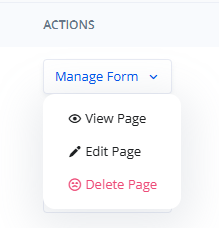
You can also clone existing pages or create new ones using the built-in layout builder tools, including drag-and-drop blocks and styling options.
Page Type Categories#
Other Pages support multiple types of supplementary content:
- Thank You Page
- Thank You - SOLD
- Thank You - UNSOLD
- Offerwall Page
- Other Page (Custom content like Terms, Privacy, Disclaimers, etc.)
These categories help in organizing your funnel's post-submission and informational pages.
Use Cases#
Common types of pages managed here include:
- Terms & Conditions
- Privacy Policy
- Marketing Partner Information
- Thank You Pages
- Disclaimers
- Custom Redirect Pages
- Legal or Regulatory Disclosures
These pages are essential for ensuring legal compliance, transparency, and user experience.
Summary#
The Other Pages view is a flexible space for managing all supporting pages of a campaign. Whether you're meeting compliance requirements or enhancing the user journey, this section gives you the tools to create, organize, and control every essential campaign page.