
Campaign Management / Funnel Builder
Brand Settings
Configure branding, meta information, and SEO rules to ensure your funnel reflects your brand and is optimized for search engines.
Brand Settings Overview#
The Brand Settings section allows you to configure global branding and metadata elements across all funnel pages. This ensures a consistent experience for users and helps optimize your funnel for search engines and social sharing.
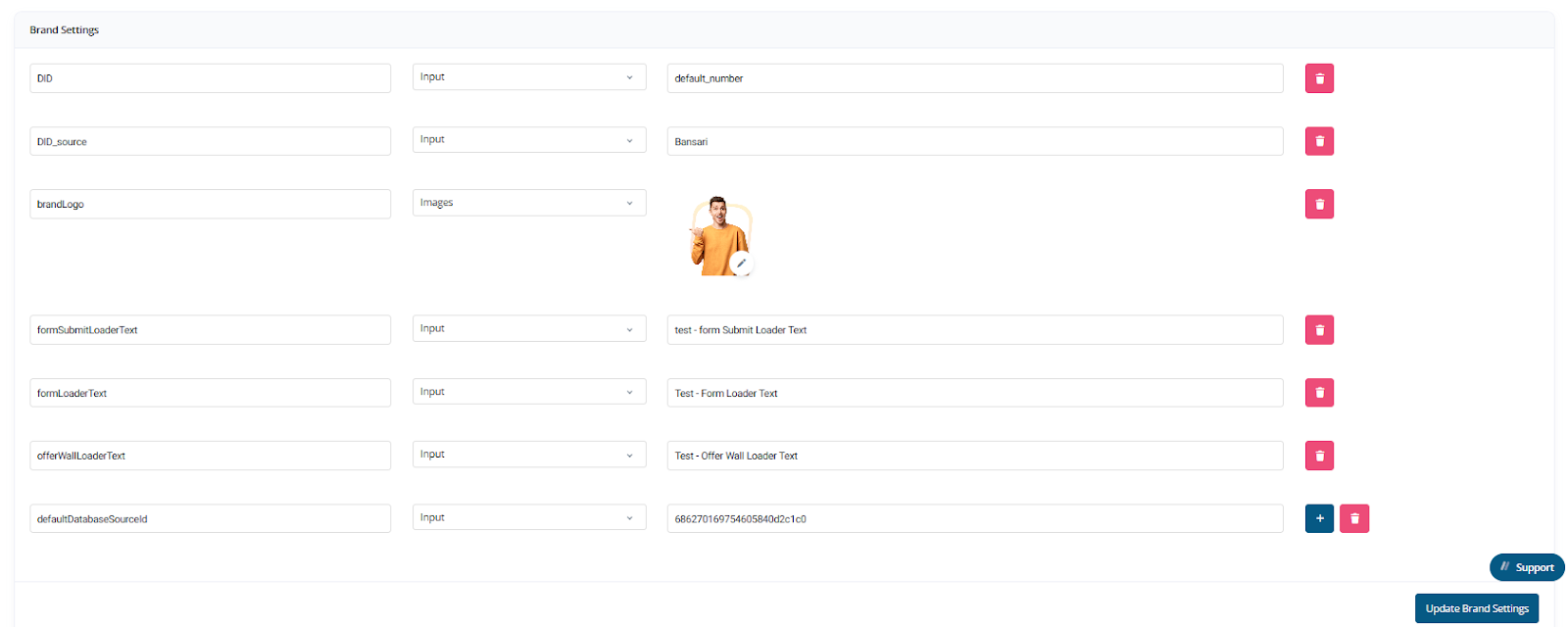
1. Default Branding Elements#
Customize the visual and textual branding that appears across all pages of your funnel.
Available Fields#
-
Default Phone Number
The main contact number displayed on your funnel pages. -
Brand Logo
Upload your company logo. It appears in headers, footers, or wherever branding is applied across your funnel. -
Headline or Support Text
Add a short sentence or tagline that reinforces your offer or brand tone.
These elements ensure a consistent look and feel across your funnel and can be overridden on a per-page basis if needed.
2. Global Meta#
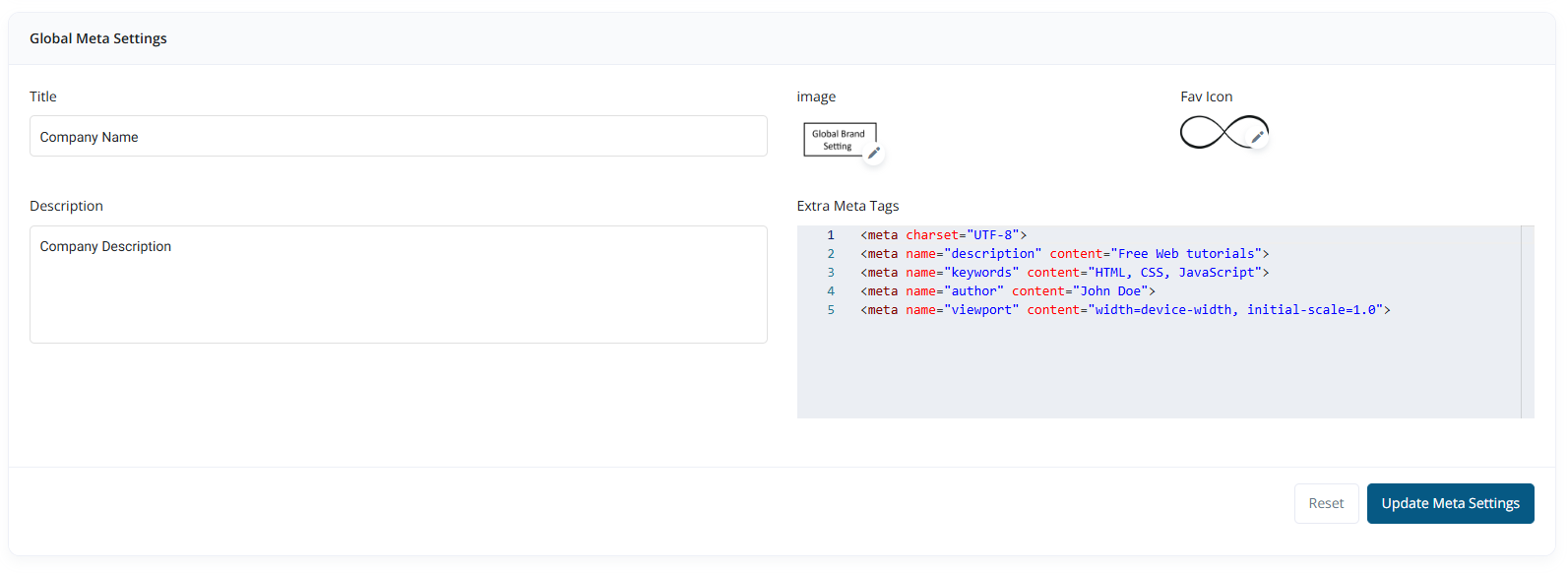
This section defines the metadata for your funnel, which improves visibility in search engines and controls how your links appear when shared on platforms like Facebook, Twitter, or WhatsApp.
Fields#
-
Meta Title
Appears in browser tabs and Google search results. -
Meta Description
A short summary of your funnel used by search engines and social media platforms. -
Meta Image
The image shown when the funnel is shared (Open Graph preview). -
Favicon
A small icon shown in the browser tab. -
Extra Meta Tags
Add custom metadata such as:og:title,og:description,og:imagetwitter:card,twitter:title, etc.
Use this section to enhance link previews and control what users see before they land on your funnel.
3. SEO & Crawling Settings#
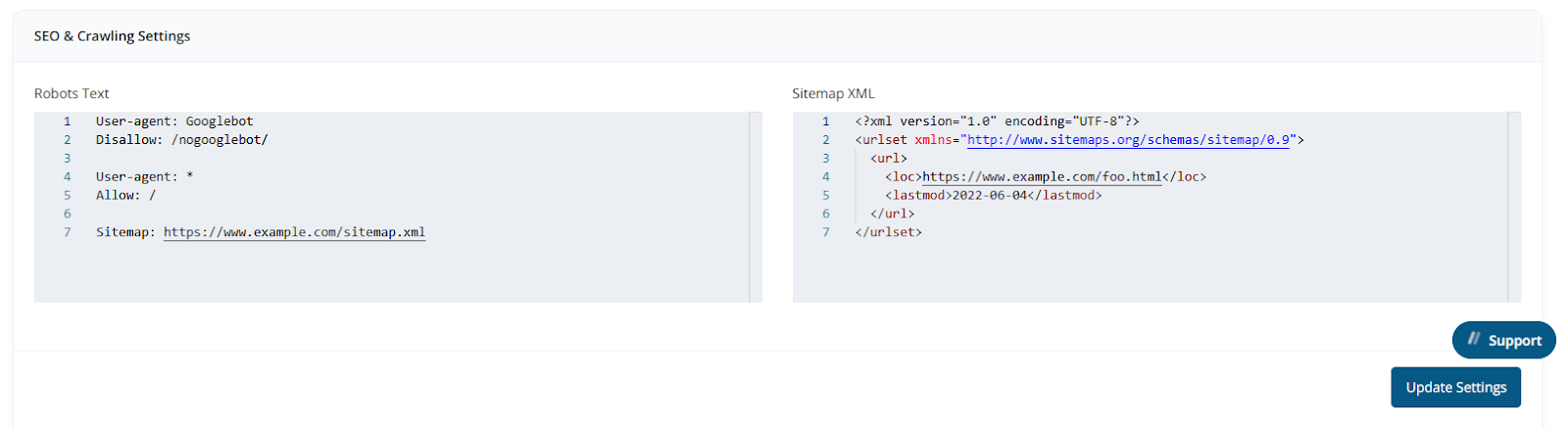
Control how search engines discover and index your funnel pages.
Configuration Options#
-
Robots.txt
Instructs search engines which URLs to crawl or ignore.
Example use case: block indexing of/thank-youor test pages. -
Sitemap.xml
Auto-generates a sitemap listing all accessible funnel pages.
Helps Google, Bing, and other crawlers understand your site structure.
Together, these tools ensure your funnel is SEO-friendly while maintaining control over what content gets indexed.
Summary#
The Brand Settings page centralizes all your funnel-wide customization:
- Set core branding visuals and text.
- Optimize how your funnel appears in search engines and social shares.
- Control crawler access and SEO behavior.
Proper configuration here improves brand consistency, enhances discoverability, and drives better engagement from both search engines and users.